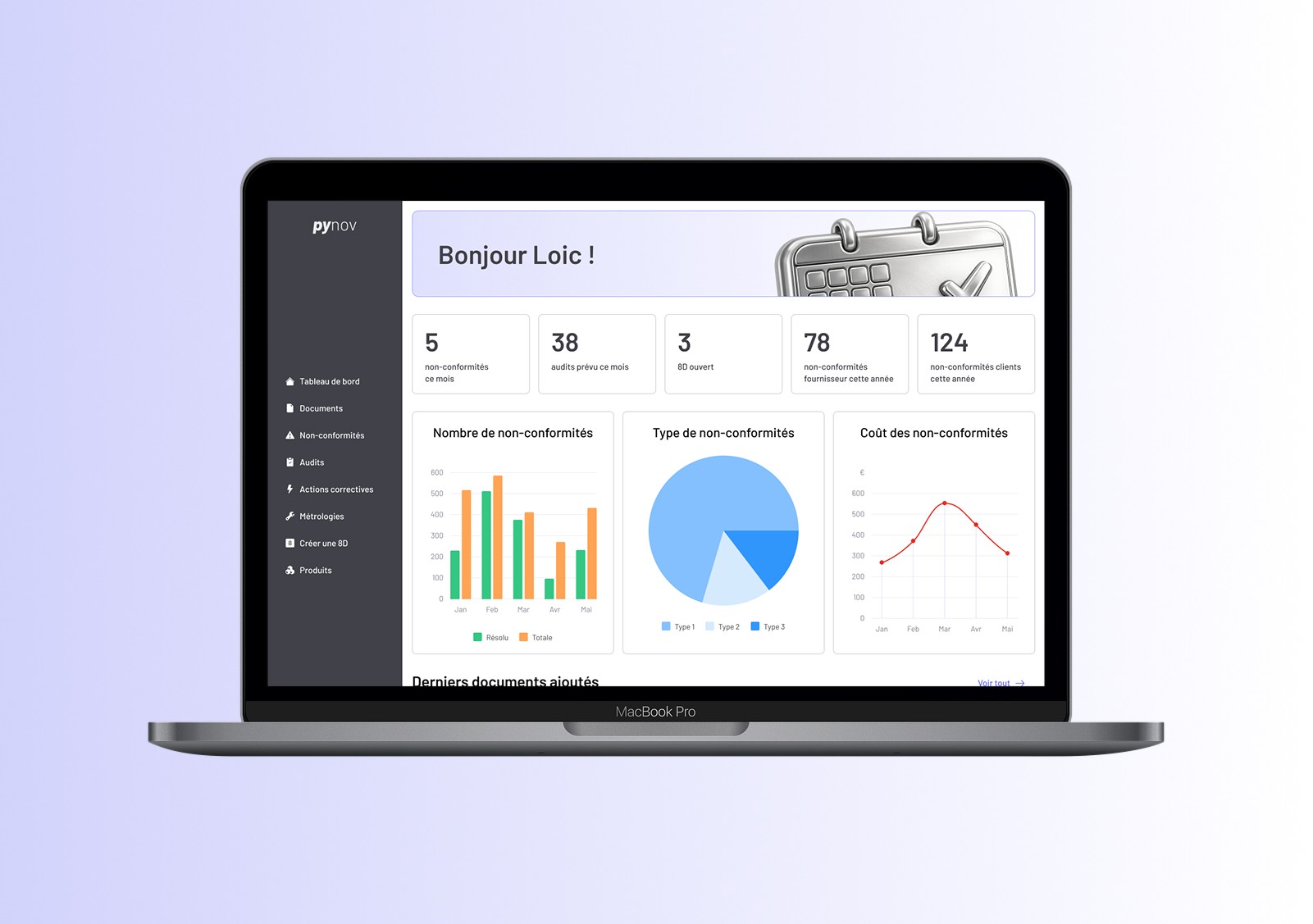
Pynov
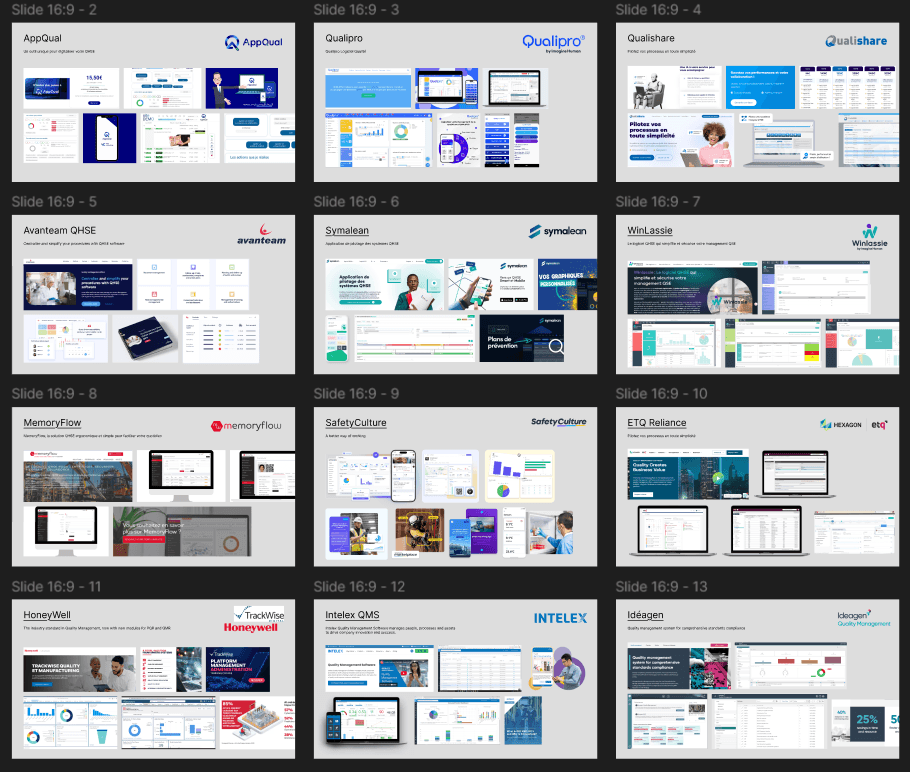
Problem Definition & Market Analysis
✦
Most existing quality control solutions on the market are designed for large enterprises. As a result, they include complex and unnecessary functionalities for SMEs, making them too complex and expensive.
✦
Because of this, many SMEs end up managing production quality using Excel. However, Excel is not designed for quality management workflows, which leads to usability issues, inconsistencies, and a lack of structure.
Stakeholder Alignment
✦
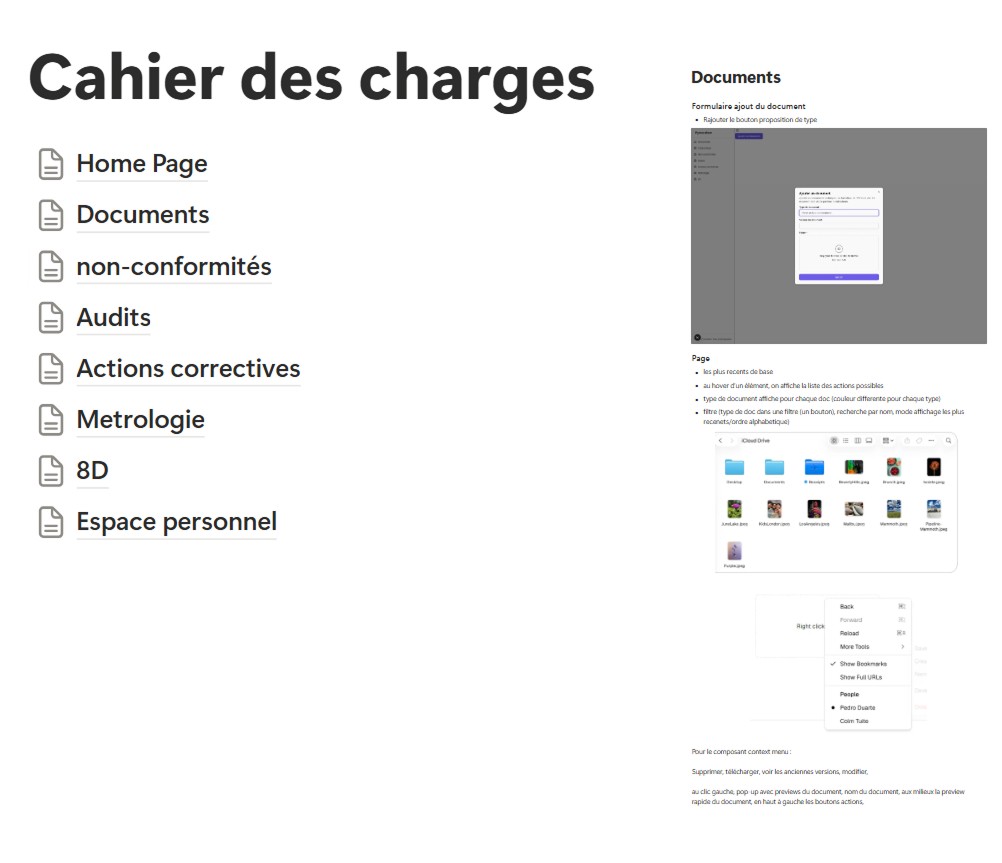
Collaborated closely with Product Owners and Quality Managers to deeply understand the domain, their daily workflows, needs, and pain points.
✦
Based on these insights, a detailed requirements document was produced, defining functional needs, user roles, and an early vision of the product’s interface.
Ideation
✦
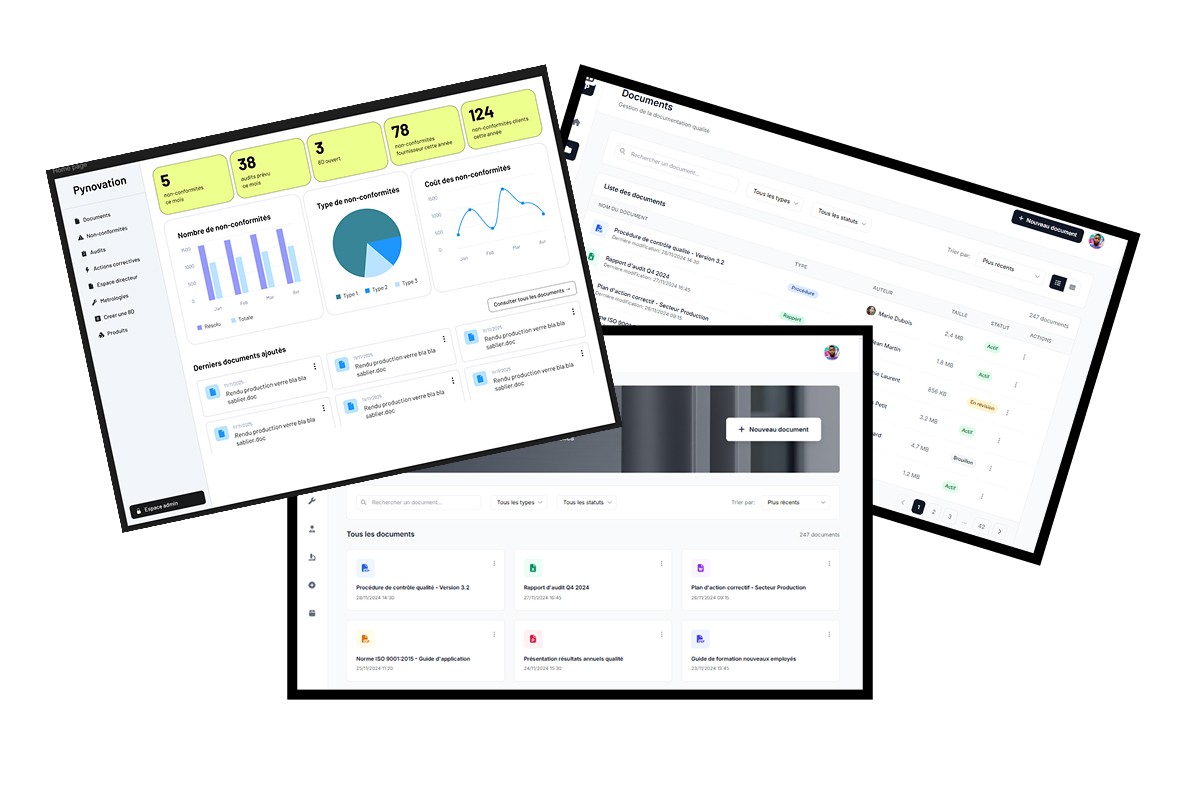
Based on the insights gathered in the previous phase, I explored multiple screen structures and design variations, using Figma Make and UX Pilot.
✦
After the tests, the structure was clear enough to proceed with building a design system.
Design System & UI Foundations
Variables System
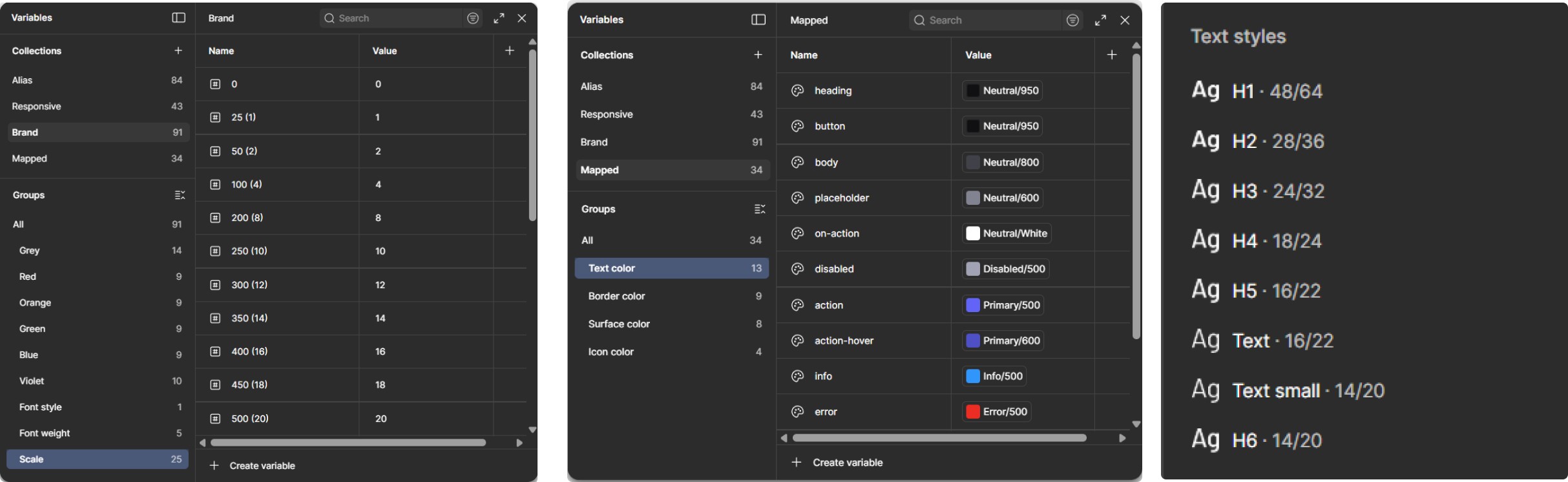
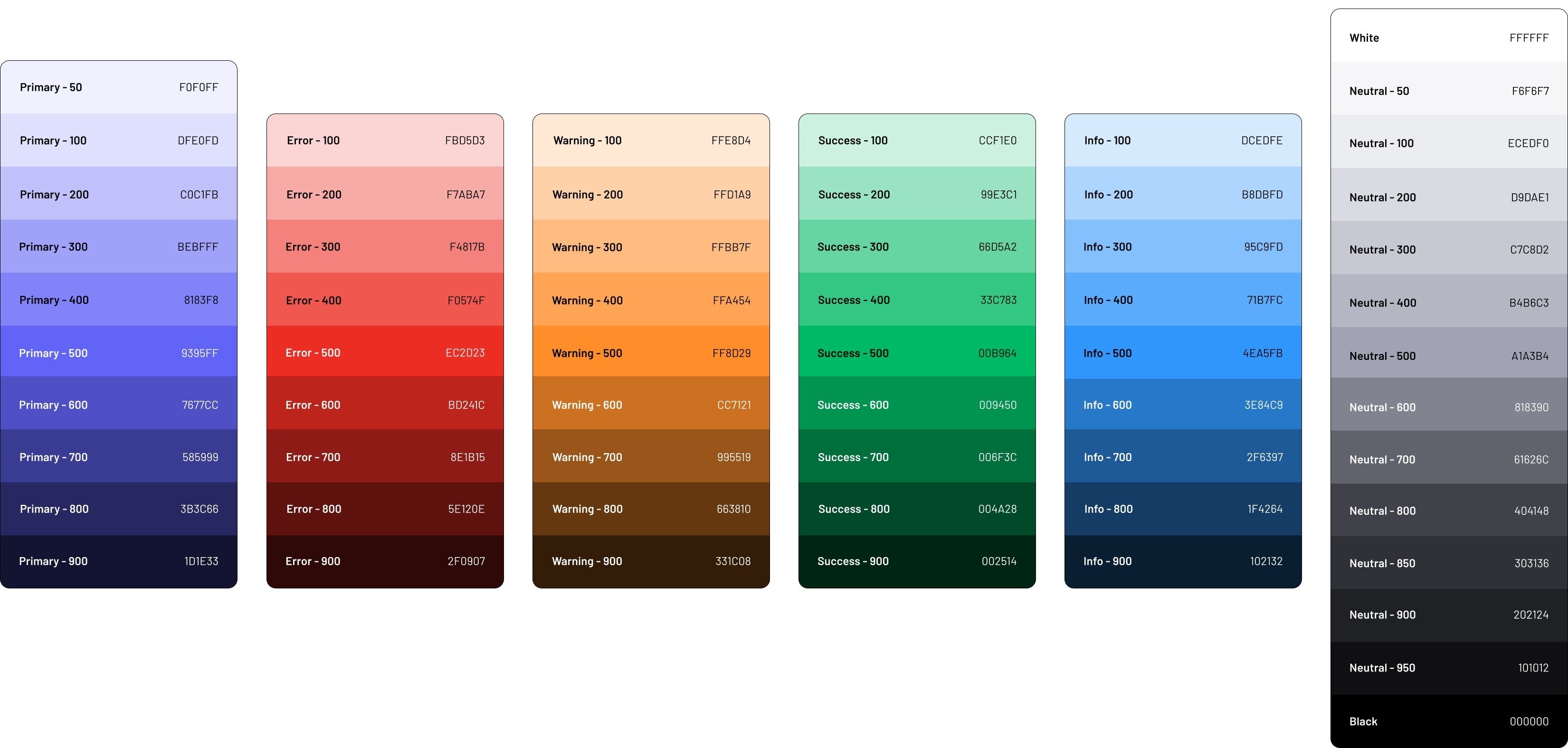
I started with a variables system as the base for consistency, building a general library for colors, scale, and font types. This foundation then allowed me to go deeper and create more precise libraries for specific usages, such as color meanings (primary, warning, error, etc.), surface and text colors, border weights, border radii, paddings, and spacing.
Color Palette
Typography
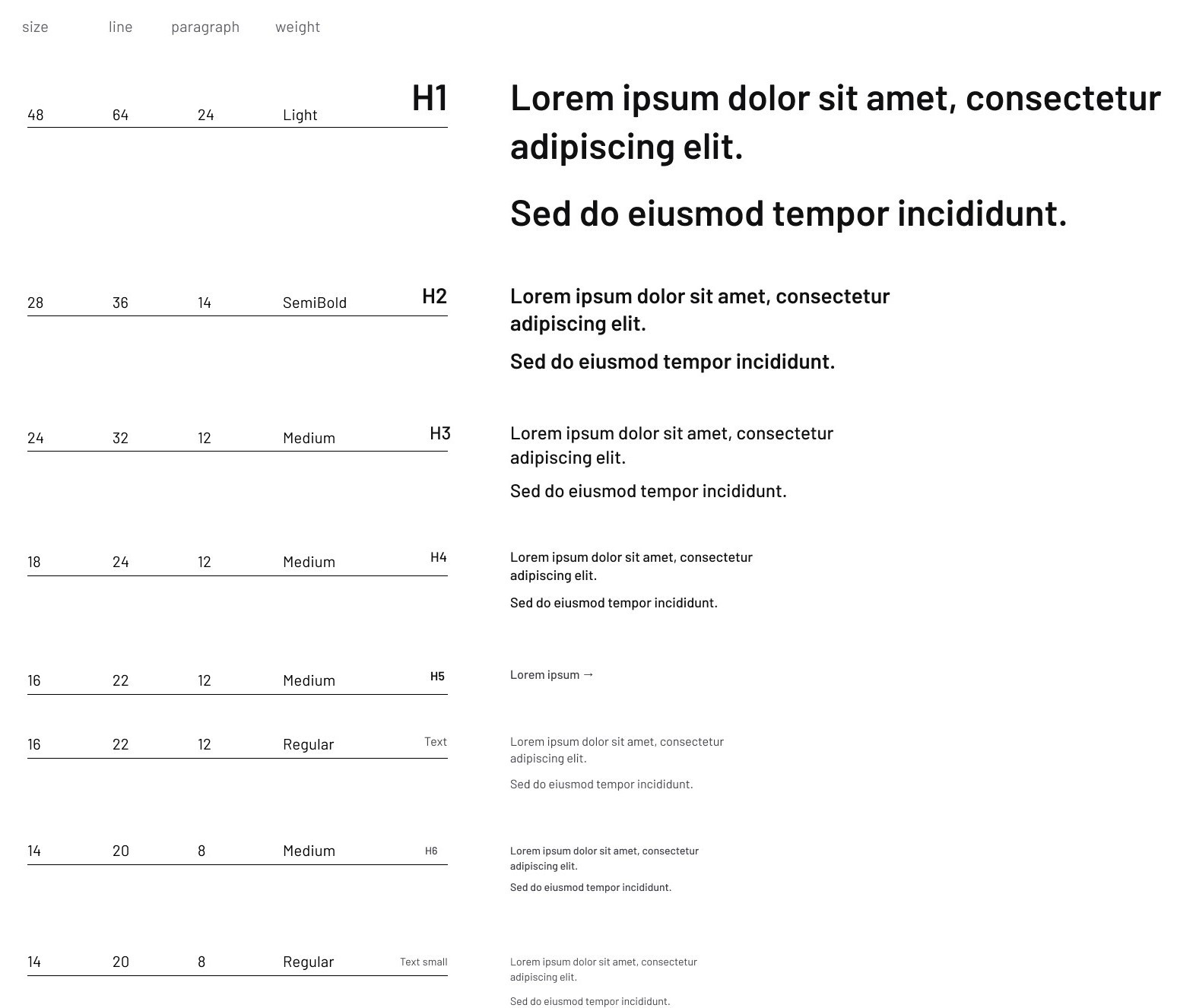
I built a typography hierarchy based on the free-to-use Barlow font, using the Typescale website as a reference.
Column System
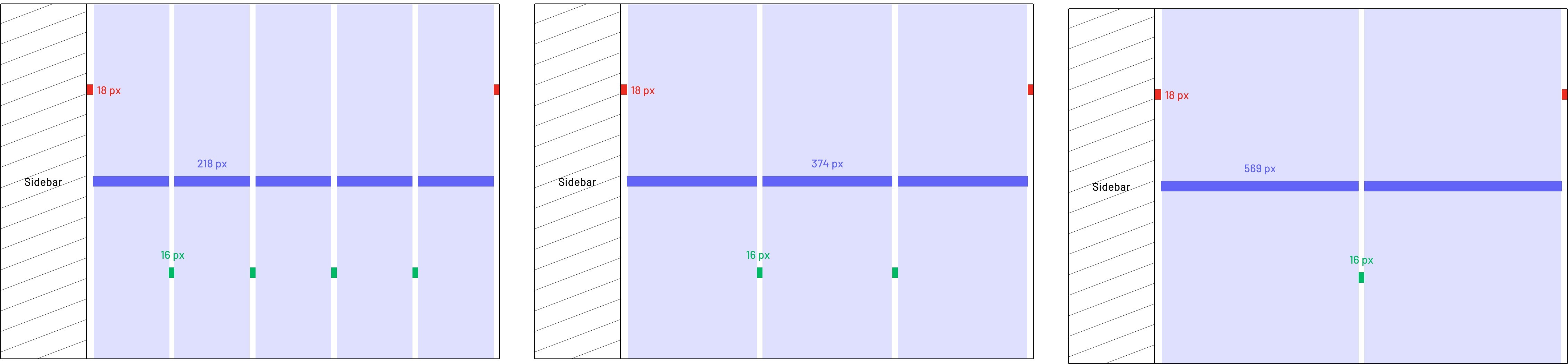
It was necessary to develop three different column systems based on the number of elements. On the same screen, elements can be aligned simultaneously in two, three, and five columns, so the sizes were carefully defined to keep the sidebar, offsets, and margins consistent across all column systems.
UI Kit
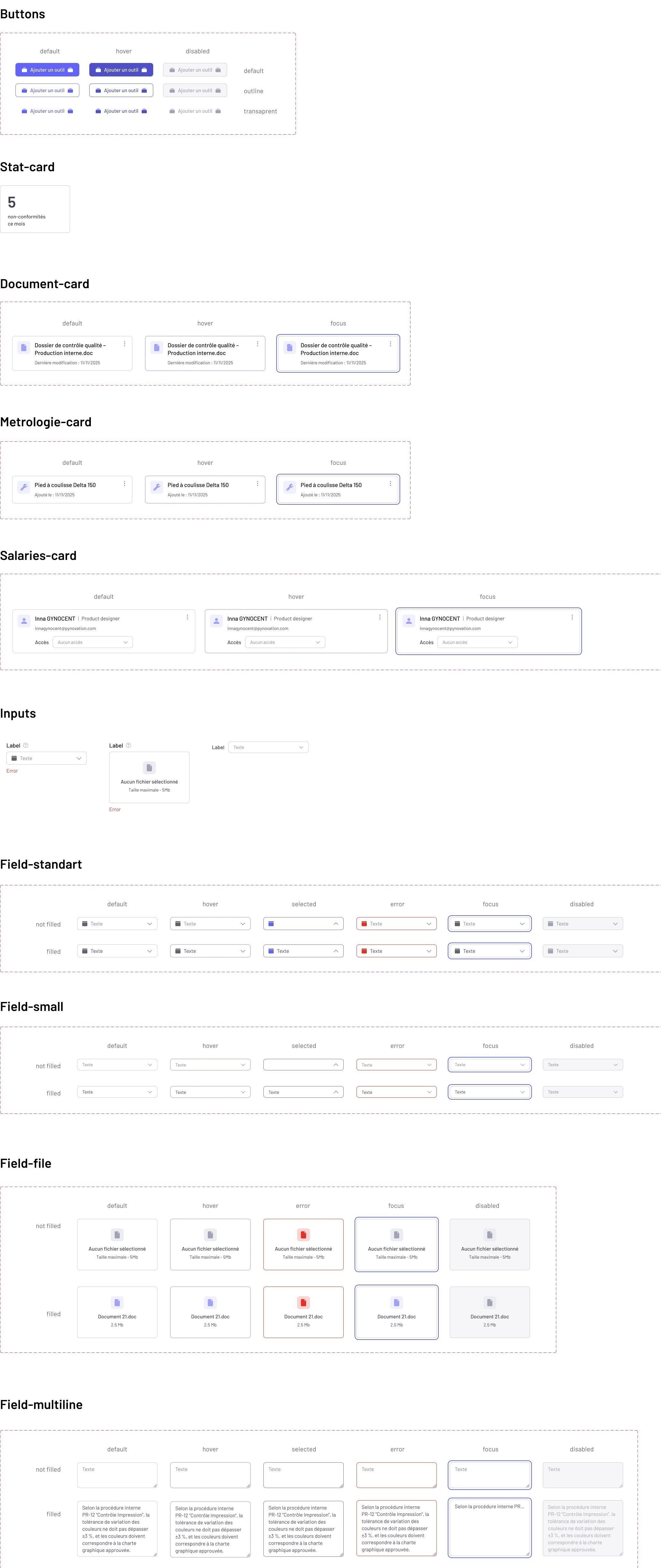
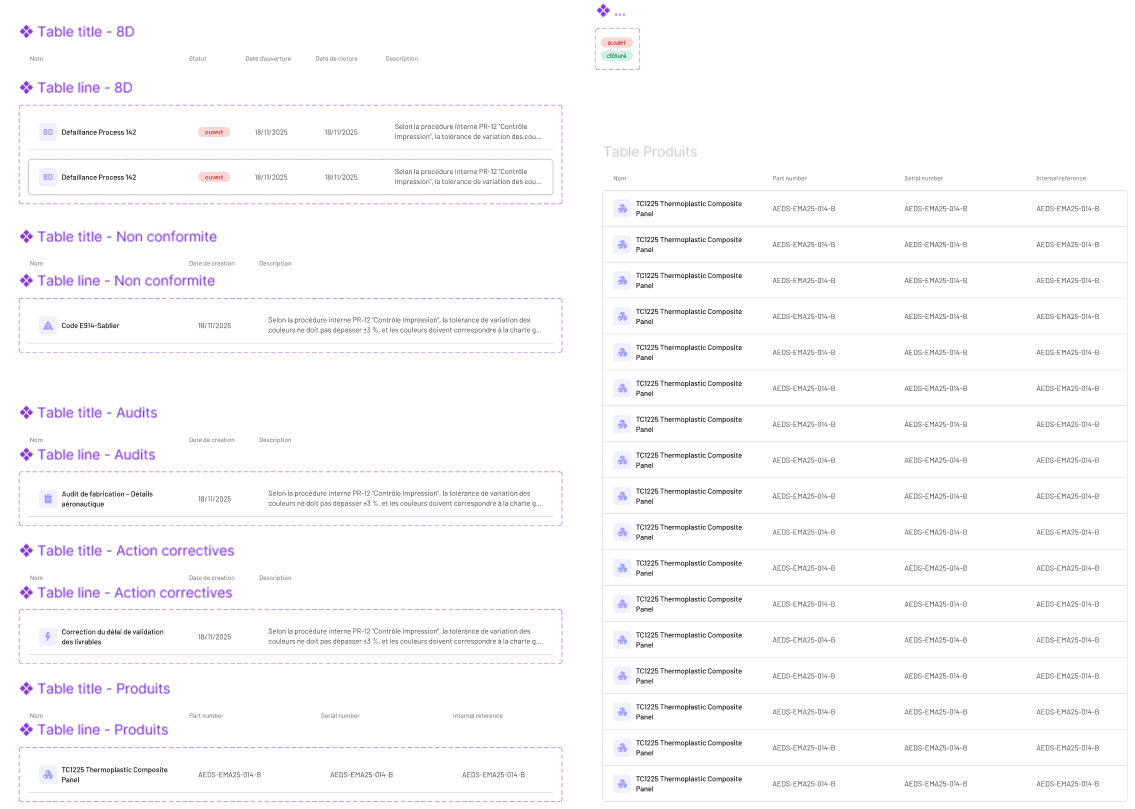
I built a UI kit with reusable components such as buttons, cards, forms, filters, fields, and tables, including all their states: default, hover, filled / not filled (for fields and filters), disabled, and focus. Focus states were specifically designed to support keyboard navigation and ensure accessibility.
Prototyping & Validation
Presented a clean, pixel-perfect prototype built entirely on the design system, in respect of the brand guidelines.
Show Figma prototype →